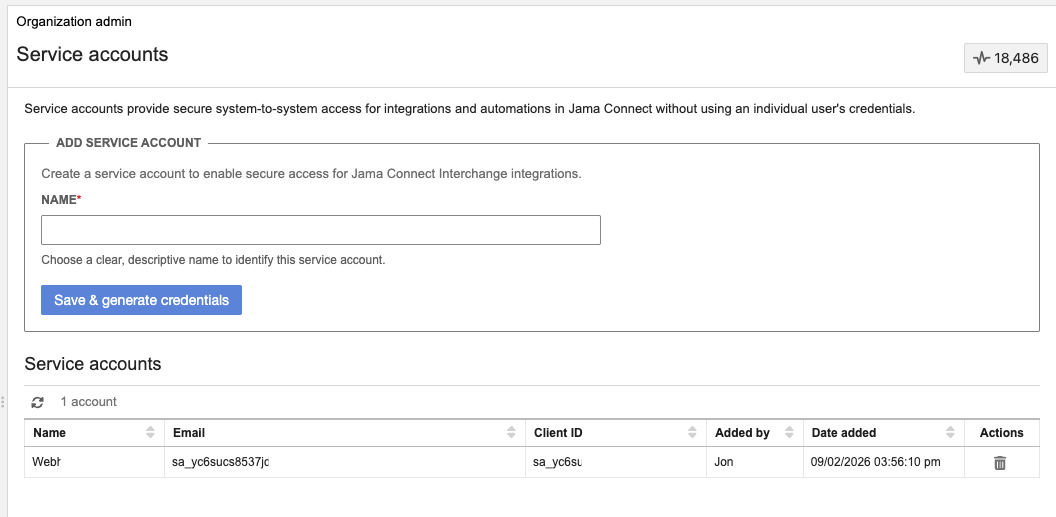
Add a Jama Connect service account
Add a Jama Connect service account and obtain credentials for use with Jama Connect Interchange.
Important considerations
Service accounts are available in Jama Connect 9.40 and later.
You must have organization admin access in Jama Connect.
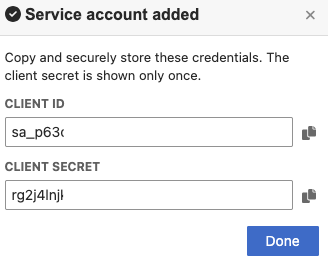
The client secret is displayed only once. Copy and securely store it during setup.
The service account is intended for service-to-service access, not for signing in as a user.
To add the service account:
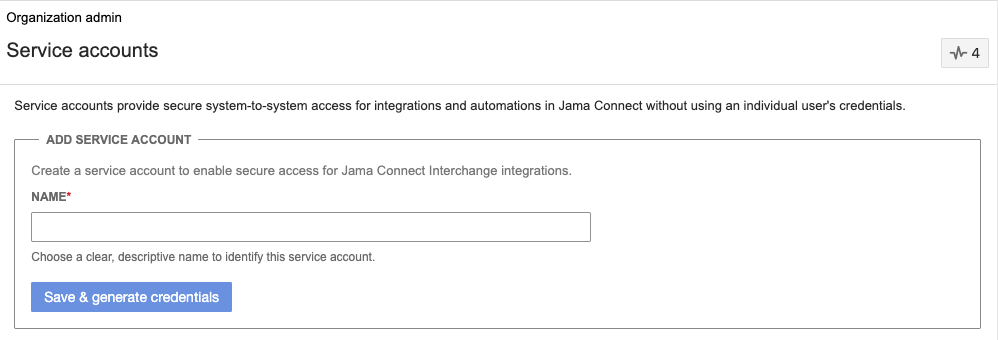
In Jama Connect, select ADMIN > Service accounts.
In the Add Service Account section, enter a name, then select Save & generate credentials.
In the window that opens, copy the Client ID and Client Secret, then select Done.
Important
The client secret cannot be retrieved after you refresh the page or leave the one-time credential screen.
Confirm that the service account appears in the active service account list and that its credentials are copied and securely stored.