Manage Jama Connect Webhook events and subscriptions (admin)
You can manage Jama Connect Webhook subscriptions in Jama Connect Interchange by updating events, enabling or disabling a subscription, and deleting a subscription.
Important considerations
Deleting a subscription permanently removes it and stops event notifications from being sent.
Regenerating a signature key immediately invalidates the current key. Update your endpoint with the new key to continue validating webhook requests. Remember to store the new signature key.
To manage events and subscriptions:
In the Jama Connect Interchange header bar, select Webhooks.
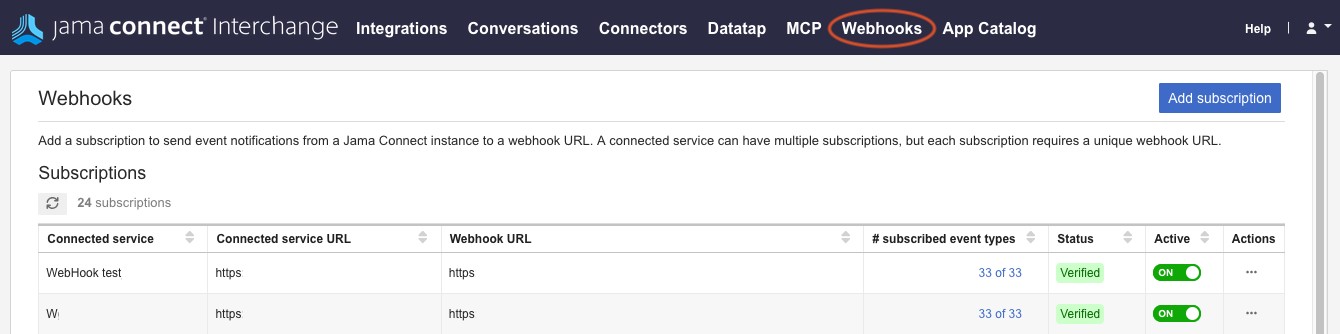
To modify subscribed events:
In the # subscribed event types column, select the link to the events you want to modify.

Select the events you want to add or remove, then select Save.
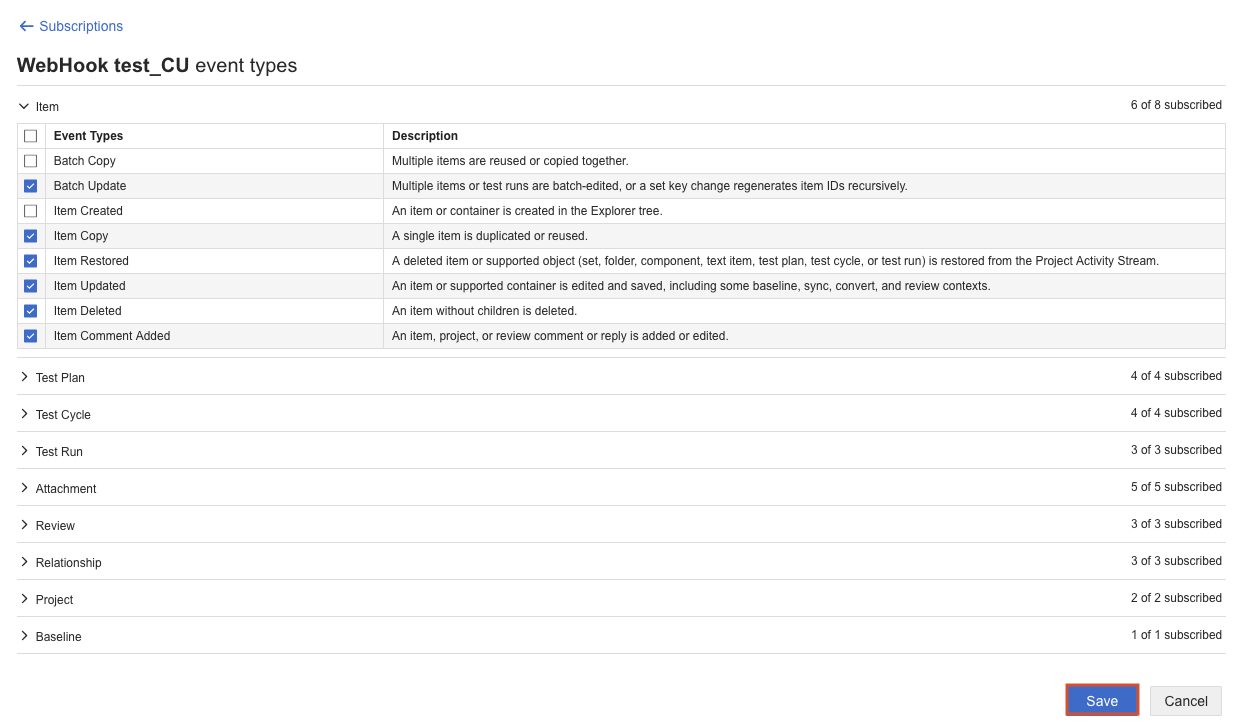
To disable or enable a subscription, select the toggle in the Active column.
To delete a subscription:
In the Actions column, select the ellipsis icon, then select Delete.

In the confirmation window, select Delete.
To regenerate a signature key:
In the Actions column, select the ellipsis icon, then select Regenerate signature key.

In the window that opens, select Regenerate, then select Done.